
> Applied Bioinformatics > Computational Tools for Bioinformatics > Unlock Data Potential: Command Line Tools for Biological Sequences
Unlock Data Potential: Command Line Tools for Biological Sequences

The era of high-throughput sequencing has unleashed an an unprecedented torrent of biological data. Navigating this vast ocean of information demands precision, speed, and automation – qualities inherently delivered by command line interface (CLI) tools. Forget graphical user interfaces; the true power in Applied Bioinformatics resides in the terminal, where raw sequence data transforms into actionable biological insights. We embark on a crucial exploration, revealing how these indispensable tools empower researchers to process, analyze, and interpret genomic, transcriptomic, and proteomic datasets at scale. Mastering them not only accelerates your research but also ensures reproducibility and robustness in every analytical step. This article carves a direct path to proficiency, detailing the essential utilities and strategic approaches required. Dive deep into the core functionalities that form the bedrock of modern biological discovery, forging a pathway to computational mastery. For those looking to optimize their workflow and deeply engage with the essential software and programming tools that underpin modern bioinformatics workflows, this guide is your blueprint.
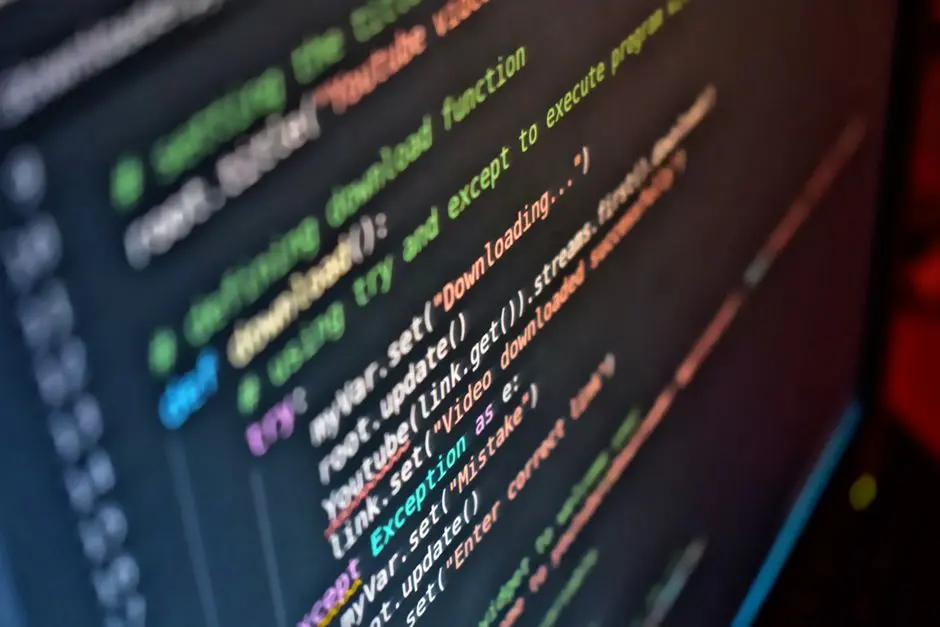
The Foundational Powerhouse: Why Command Line Reigns Supreme
We stand at the precipice of a data revolution in biology, driven by advancements in sequencing technologies. To harness this colossal influx of information, mere point-and-click interfaces fall short. The command line interface (CLI) emerges as the indispensable bedrock, offering unparalleled advantages that propel bioinformatics analysis into the realm of high-throughput precision. We champion the CLI for its inherent scalability, allowing us to process gigabytes and terabytes of sequence data with unyielding efficiency. Its automation capabilities are transformative: script complex workflows once, then execute them countless times, freeing up invaluable research hours. Critically, CLI operations inherently foster reproducibility. Every command, every parameter, is explicitly recorded, ensuring that analyses can be exactly replicated by ourselves or others, a cornerstone of scientific rigor.
Understanding the fundamental concepts of the shell is our first step. The terminal (our gateway) interacts with a shell (like Bash), which interprets our commands. We leverage basic but potent utilities: ls to list directory contents, cd to navigate, grep to search for patterns within files, awk and sed for powerful text manipulation, sort to order data, uniq to filter duplicates, and cut to extract specific columns. These tools, when combined with pipes (|) and redirection (>, >>, <), form the very sinews of bioinformatics workflows. Pipes channel the output of one command directly as input to another, creating elegant, efficient data streams. Redirection allows us to capture command output into a file or feed a file’s content as input. We forge an environment where data flows seamlessly, driven by precise instructions, optimizing every computational opportunity.
<p><strong>Example: Filtering and counting specific reads from a FASTQ file.</strong></p><pre><code>grep -B 1 -A 2 "YOUR_SEQUENCE_PATTERN" input.fastq | grep -v "^--$" > filtered_reads.fastq
wc -l filtered_reads.fastq</code></pre><p>This chain command first searches for a pattern, extracts surrounding lines, filters out separator lines, and then saves the result. The second command then counts the lines in the output file.</p>
Precision Pre-Processing: Sculpting Raw Data into Usable Sequences
Raw sequencing reads, despite their promise, are rarely pristine. They arrive riddled with errors, adapter contaminants, and low-quality bases, all of which compromise downstream analysis. Our journey in processing sequence data begins with rigorous pre-processing, a critical phase where we sculpt these raw reads into high-quality, biologically meaningful sequences. We deploy FastQC, an essential quality control tool, to generate comprehensive reports visualizing read quality, adapter content, and sequence biases. This initial diagnostic step is paramount, empowering us to identify potential issues before committing to resource-intensive analyses. FastQC produces informative plots that unveil the landscape of our data, from per-base quality scores to GC content distribution, guiding subsequent remediation.
Following quality assessment, we transition to refinement. Trimmomatic and Cutadapt stand as our primary tools for quality filtering and adapter trimming. Trimmomatic is a robust Java-based tool, highly effective for paired-end data, capable of removing adapters, trimming low-quality bases from either end, and filtering out short reads. Its precise control over windowed quality trimming and minimum read length ensures only high-fidelity reads proceed. Cutadapt, on the other hand, excels in identifying and removing adapter sequences, even partial ones, and can also perform quality trimming. Both tools are highly configurable, demanding our careful selection of parameters based on the FastQC reports and sequencing library characteristics. Incorrect trimming parameters constitute a common pitfall, leading to loss of valuable data or, conversely, retention of confounding noise. We advocate for iterative FastQC checks post-trimming to confirm the success of our pre-processing efforts.
With high-quality reads secured, the next pivotal step is alignment to a reference genome. For DNA sequencing, BWA MEM (Burrows-Wheeler Aligner Maximal Exact Match) is a gold standard, renowned for its accuracy and speed in mapping long reads. For RNA sequencing, tools like HISAT2 and STAR are specifically optimized to handle spliced alignments across exon-intron boundaries, a unique challenge of transcriptomic data. Bowtie2, while also a powerful aligner, often finds its niche in aligning shorter reads or when high sensitivity for smaller genomes is required. These tools generate Sequence Alignment/Map (SAM) or Binary Alignment/Map (BAM) files, which are the universal formats for storing alignment information. We then harness SAMtools to manipulate these BAM files, performing crucial operations like sorting, indexing, merging, and extracting specific regions. SAMtools transforms raw alignment output into an organized, queryable format, unlocking its potential for downstream analysis.
<p><strong>Example: Running FastQC and Trimmomatic for quality control.</strong></p><pre><code>fastqc raw_reads.fastq.gz -o ./

java -jar /path/to/trimmomatic.jar PE -phred33 \
  input_R1.fastq.gz input_R2.fastq.gz \
  output_R1_paired.fastq.gz output_R1_unpaired.fastq.gz \
  output_R2_paired.fastq.gz output_R2_unpaired.fastq.gz \
  ILLUMINACLIP:adapters.fa:2:30:10 LEADING:3 TRAILING:3 SLIDINGWINDOW:4:15 MINLEN:36

fastqc output_R1_paired.fastq.gz -o ./</code></pre><p>This snippet demonstrates sequential quality control: first assessing raw reads, then applying Trimmomatic for adapter and quality trimming, and finally re-assessing the quality of the processed reads.</p>
Unearthing Insights: From Variants to Gene Expression
With expertly processed and aligned sequence data, we transition to the exciting phase of unearthing biological insights. This involves identifying genetic variations, assembling novel genomes, and quantifying gene expression levels – each requiring specialized command-line tools. For variant calling, we often employ a robust pipeline centered around GATK (Genome Analysis Toolkit) or BCFtools. GATK, a powerhouse developed by the Broad Institute, provides a comprehensive suite for variant discovery and genotyping. Its HaplotypeCaller identifies SNPs and indels with high accuracy, while subsequent steps like VariantRecalibrator refine the calls, mitigating false positives. BCFtools, often used in conjunction with SAMtools mpileup, offers a flexible and efficient alternative, particularly for large cohorts or when integration with custom scripts is paramount. We champion a meticulous approach to variant calling, understanding that each step, from alignment to genotyping, profoundly impacts the final set of reported variants. Common errors include insufficient filtering of low-quality variants or neglecting to account for population-specific allele frequencies.
When a reference genome is unavailable, or when studying novel organisms, de novo assembly becomes our imperative. Tools like SPAdes and MEGAHIT lead this charge. SPAdes excels in assembling genomes from a wide range of sequencing data types (Illumina, PacBio, Oxford Nanopore) and is particularly strong for bacterial genomes and single-cell sequencing. MEGAHIT, designed for extremely large and complex metagenomic datasets, delivers rapid and memory-efficient assemblies. These assemblers reconstruct contiguous sequences (contigs) from fragmented reads, presenting a challenging computational puzzle. Success hinges on read quality, coverage, and judicious parameter tuning. The output contigs often require further scaffolding and gap filling, processes that also leverage dedicated command-line utilities. These tools empower us to explore the genomic landscape of previously uncharacterized life forms, opening new frontiers in discovery.
For gene expression quantification from RNA sequencing data, we deploy tools optimized for speed and accuracy. Salmon and Kallisto are cutting-edge, alignment-free or pseudo-alignment-based methods that directly quantify transcript abundances from raw reads, dramatically reducing computational time compared to traditional alignment-and-count workflows. They achieve this by directly mapping k-mers to a transcriptome index. Alternatively, for a more traditional read-counting approach, featureCounts (part of the Subread package) efficiently counts reads mapped to genomic features (exons, genes) from BAM files. Each tool offers distinct advantages depending on the specific research question and computational resources. We must rigorously select the appropriate tool, understanding its underlying algorithms and assumptions, to ensure robust and interpretable gene expression profiles. Additionally, BEDtools provides a versatile suite of utilities for genomic interval manipulation (intersecting, merging, complementing features), proving invaluable for diverse downstream analyses, such as extracting sequences from genomic regions or annotating variants with genomic features.
<p><strong>Example: Basic variant calling with BCFtools and Salmon for gene quantification.</strong></p><pre><code>samtools mpileup -uf reference.fa aligned.bam | bcftools call -mv -Oz -o variants.vcf.gz

salmon index -t transcriptome.fasta -i salmon_index
salmon quant -i salmon_index -l A -1 reads_1.fastq.gz -2 reads_2.fastq.gz -o quant_output</code></pre><p>These commands illustrate a concise variant calling workflow using <code>samtools</code> and <code>bcftools</code>, followed by the indexing and quantification steps for RNA-seq data using <code>Salmon</code>.</p>
Architecting Success: Scripting, Orchestration, and Best Practices
Processing sequence data effectively transcends individual command-line tools; it demands the architectural skill to integrate them into cohesive, robust bioinformatics pipelines. We elevate our analytical capabilities by mastering scripting, primarily with Bash for chaining commands and Python for more complex logic and data manipulation. Bash scripts act as the glue, automating sequences of commands, handling file paths, and managing tool execution. Python, with its rich libraries (e.g., Biopython, pandas), provides unparalleled flexibility for parsing complex output, performing statistical analyses, and generating custom reports, functioning as a powerful orchestrator. Building modular scripts, where each component performs a specific, testable task, is a fundamental best practice, drastically simplifying debugging and maintenance.
As pipelines grow in complexity, manually orchestrating tools becomes untenable. This is where Workflow Management Systems (WMS) like Snakemake and Nextflow become indispensable. These systems are not merely script wrappers; they define workflows as Directed Acyclic Graphs (DAGs), managing dependencies between steps, optimizing resource allocation on HPC clusters, and automatically handling re-runs of failed jobs. Snakemake, Python-based, leverages familiar syntax, while Nextflow, Groovy-based, excels in portability and scalability across diverse computing environments (local, cloud, HPC). They enforce reproducibility by tracking versions, inputs, and outputs, generating execution reports that document every analytical step. We are no longer just running commands; we are engineering scalable, transparent, and reproducible research engines.
However, the journey is fraught with potential pitfalls. Environment management is paramount. Different tools often demand conflicting software versions, leading to dependency hell. We mitigate this using solutions like Conda (specifically Miniconda or Anaconda) for creating isolated software environments, ensuring that tool versions remain stable and compatible across projects. For ultimate reproducibility and portability, containerization with Docker or Singularity encapsulates an entire software environment, including the operating system, libraries, and tools, into a single package. This guarantees that your analysis will run identically on any system. Version control with Git is equally critical, tracking every change in our scripts and configuration files, enabling collaboration and protecting against accidental data loss. Good practices extend to meticulous documentation of pipelines, thorough error handling within scripts, and vigilant resource allocation (CPU, memory) to prevent jobs from crashing or monopolizing shared computational infrastructure. We consistently advocate for a mindset of engineering quality into every bioinformatics workflow, ensuring our discoveries rest on the most solid computational foundation possible.
<p><strong>Example: A basic Bash script fragment for a workflow step and Conda environment activation.</strong></p><pre><code>#!/bin/bash
# Activate a Conda environment
conda activate my_bioinfo_env
# Define variables for input/output
INPUT_FILE="raw_reads.fastq.gz"
OUTPUT_DIR="./processed_data"
LOG_FILE="processing.log"
mkdir -p $OUTPUT_DIR
# Run a tool (e.g., FastQC)
echo "Running FastQC on $INPUT_FILE" >> $LOG_FILE
fastqc $INPUT_FILE -o $OUTPUT_DIR >> $LOG_FILE 2>&1
# Deactivate environment
conda deactivate</code></pre><p>This snippet demonstrates activating a specific software environment, defining variables, creating output directories, and running a bioinformatics tool while capturing logs, all within a reusable script.</p>Key Takeaways
Unleash Efficiency with Command Line Interfaces (CLI)
The CLI is the cornerstone of modern bioinformatics, offering unparalleled speed, scalability, automation, and reproducibility for processing vast biological datasets. Essential shell commands like grep, awk, sed, sort, uniq, and cut, combined with pipes (|) and redirection (>, >>), form the foundation for building powerful analytical workflows.
Mastering Raw Read Pre-processing and Alignment
FastQC is critical for initial read quality assessment. Trimmomatic and Cutadapt precisely remove low-quality bases and adapter contaminants. For alignment, BWA MEM (DNA-seq) and HISAT2/STAR (RNA-seq) map reads to reference genomes, generating SAM/BAM files. SAMtools then enables efficient manipulation (sorting, indexing, merging) of these alignment files for downstream analysis.
Advanced Insights: Variants, Assembly, and Expression
For variant calling, GATK and BCFtools are industry standards, identifying SNPs and indels. De novo assembly of novel genomes relies on tools like SPAdes and MEGAHIT. In RNA-seq quantification, Salmon and Kallisto provide rapid, pseudo-alignment-based expression estimates, while featureCounts offers read-counting. BEDtools facilitates versatile genomic interval manipulation.
Building Robust Pipelines: Scripting, Orchestration, and Best Practices
Bash and Python scripting glue individual tools into automated workflows. Workflow Management Systems (e.g., Snakemake, Nextflow) orchestrate complex pipelines, ensuring reproducibility and scalability across diverse computing environments. Crucial best practices include Conda for environment management, Docker/Singularity for containerization, Git for version control, and meticulous documentation and error handling.
FAQ
-
Why are command-line tools preferred over graphical user interfaces (GUIs) for bioinformatics?
Command-line tools offer superior scalability for large datasets, enable automation through scripting, ensure reproducibility by explicitly recording every command, and provide finer control over parameters. While GUIs are beginner-friendly, they often lack the power and flexibility required for complex, high-throughput analyses.
-
How do I manage different versions of bioinformatics tools to avoid conflicts?
We strongly recommend using Conda (Miniconda/Anaconda) to create isolated software environments. Each environment can host specific tool versions without interfering with others. For ultimate portability and reproducibility, containerization with Docker or Singularity encapsulates entire software stacks and their dependencies.
-
What is the role of workflow management systems like Snakemake or Nextflow?
Workflow management systems automate complex, multi-step bioinformatics pipelines. They handle task dependencies, manage resource allocation on computational clusters, facilitate parallel execution, and track every step for reproducibility. They transform a series of individual commands into a cohesive, scalable, and robust analytical engine.
-
What are common pitfalls to avoid when working with command-line tools in bioinformatics?
Common pitfalls include incorrect PATH configurations, neglecting quality control on raw reads, using outdated tool versions, insufficient resource allocation (memory/CPU), and a lack of documentation for custom scripts. We must proactively manage environments, validate inputs, and rigorously test each pipeline step.
-
How can I learn more about a specific command-line tool's options and usage?
Most command-line tools offer built-in help. Try adding
--helpor-hafter the command (e.g.,fastqc --help). Themancommand (e.g.,man grep) provides a manual page. Always consult the official documentation, which often includes tutorials and best practices for comprehensive understanding.