
> Bio-engineering & bioinformatics pipelines > Vector Search and Similarity Systems > Engineer Scalable Python Pipelines for Protein Embedding Batches
Engineer Scalable Python Pipelines for Protein Embedding Batches
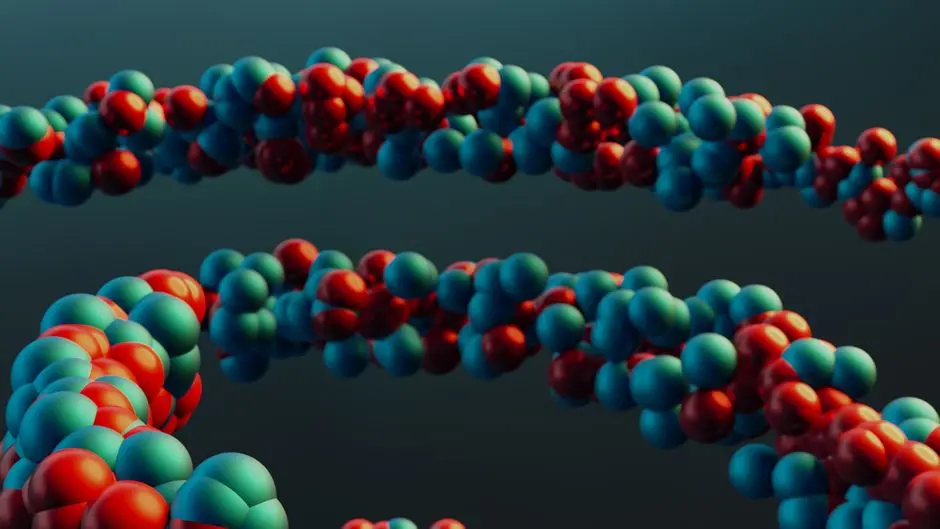
Biological research propels forward on the bedrock of data, yet the sheer volume of protein sequences now demands computational strategies of unparalleled efficiency. Extracting meaningful insights from millions, even billions, of protein embeddings presents a formidable challenge. Traditional, sequential processing methods crumble under this load, introducing bottlenecks that cripple discovery and inflate computational costs. This article activates a strategic blueprint for forging high-throughput Python pipelines specifically engineered to preprocess vast datasets of protein embeddings in batches.
We decode the critical steps, from judicious data chunking to parallelized transformation and optimized storage, ensuring every computational cycle propels us closer to biological revelation. Mastering batch processing is not merely an optimization; it is a fundamental shift in how we approach large-scale bioinformatics. We will equip you with the practical methodologies and insider knowledge necessary to transform cumbersome datasets into actionable intelligence, preparing your research for the next frontier. By meticulously preparing these high-dimensional representations, we unlock the full potential of downstream applications. We must ensure these meticulously crafted embeddings are primed for robust, large-scale vector search systems that empower deep biological exploration. Conquer the data deluge and accelerate your journey through the molecular landscape.

Activate the Imperative: Why Batch Process Protein Embeddings?
Processing millions of protein embeddings is not merely a task; it is a strategic imperative in modern bioinformatics. Protein embeddings, high-dimensional numerical representations of protein sequences, encapsulate complex biological information crucial for tasks like protein function prediction, drug discovery, and evolutionary analysis. The challenge escalates with the scale of data: sequential processing, where each embedding is handled individually, generates insurmountable computational debt, leading to excruciatingly slow pipelines and exorbitant resource consumption. We confront this reality head-on.
Batch processing emerges as the bedrock strategy. Instead of processing one protein at a time, we group thousands or millions into efficient batches, enabling vectorized operations that leverage modern CPU and GPU architectures. This approach dramatically reduces overhead, optimizes memory access patterns, and unlocks parallelism, transforming hours or days of computation into minutes. For instance, normalizing a million embeddings individually demands N separate operations; in a batch, it becomes a single, highly optimized matrix operation. We must internalize this shift from atomized operations to a holistic, batch-centric paradigm to truly conquer the data deluge in biological research. This foundational understanding empowers us to engineer pipelines that scale and deliver.
Furthermore, an often-overlooked aspect is the efficient storage and retrieval of these processed embeddings. Storing raw text files for millions of vectors is inefficient, demanding excessive disk I/O and hindering subsequent analyses. We forge solutions that integrate seamlessly with high-performance storage formats like HDF5 or Parquet, ensuring that once embeddings are processed, they are immediately accessible for downstream applications, such as similarity search or clustering. This holistic view, from processing efficiency to storage optimization, defines the cutting edge of bioinformatics pipeline engineering. We lay the groundwork for a scalable and sustainable approach to protein data.
# Python environment setup for large-scale protein embedding processing
# We forge a robust foundation for handling millions of embeddings.

# 1. Essential Libraries Installation
# Execute this command in your terminal to secure the necessary tools.
# pip install numpy pandas h5py pyarrow dask[dataframe] scikit-learn

# 2. Basic Imports for our Pipeline Blueprint
import numpy as np
import pandas as pd
import h5py
import pyarrow.parquet as pq
import os
from sklearn.preprocessing import StandardScaler # A common preprocessing step

# 3. Simulate a Small Batch of Protein Embeddings for Initial Testing
# In a real scenario, these would come from a model's inference.
# We craft a function to generate synthetic data, mirroring real-world dimensions.
def generate_synthetic_embeddings(num_embeddings, embedding_dim):
    """
    Generates synthetic protein embeddings for demonstration purposes.
    Each embedding is a vector of `embedding_dim` features.
    """
    print(f"Generating {num_embeddings} synthetic embeddings of dimension {embedding_dim}...")
    # We simulate embeddings as float32 to conserve memory, a best practice.
    embeddings = np.random.rand(num_embeddings, embedding_dim).astype(np.float32)
    print("Synthetic embeddings generated successfully.")
    return embeddings

# Define typical dimensions for protein embeddings
# Protein language models often produce embeddings in these ranges.
EXAMPLE_NUM_EMBEDDINGS = 1000  # Small batch for quick testing
EXAMPLE_EMBEDDING_DIM = 1024   # Common dimension for large protein models (e.g., ESM-2)

# Generate a test batch
#test_embeddings = generate_synthetic_embeddings(EXAMPLE_NUM_EMBEDDINGS, EXAMPLE_EMBEDDING_DIM)
#print(f"Shape of generated test embeddings: {test_embeddings.shape}")

# We recommend validating your environment by running a small test generation.
# This ensures all dependencies are correctly installed and accessible.
Forge the Architecture: Core Components of a Batch Processing Pipeline
Designing a batch processing pipeline demands a surgical approach, focusing on modularity, efficiency, and resilience. We must select core components that harmonize with the scale of biological data. At the heart of our architecture lies the concept of data chunking. Large datasets cannot reside entirely in memory; therefore, we segment them into manageable chunks, processing each sequentially while keeping memory footprints minimal. Libraries like Dask and Pandas, when used strategically, become invaluable. Dask, in particular, empowers us to orchestrate parallel computations across these chunks, distributing the workload and accelerating throughput, even on single machines. Pandas DataFrames provide a robust structure for handling individual batches, allowing for efficient in-memory manipulations.
Beyond chunking, the choice of storage format for intermediate and final processed embeddings significantly impacts performance. We advocate for binary, columnar formats. HDF5 (Hierarchical Data Format 5) excels at storing large numerical arrays and offers features like compression and incremental writes, making it ideal for appending processed batches without reloading the entire dataset. Alternatively, Parquet, a columnar storage format, pairs exceptionally well with tools like PyArrow and Pandas, offering superior read performance for analytical queries and excellent compression ratios. Selecting between these depends on access patterns; HDF5 for array-like access, Parquet for DataFrame-like access with schema evolution.
Finally, the preprocessing steps themselves—normalization, scaling, dimensionality reduction—must be vectorized and applied consistently across batches. We avoid re-fitting scalers or PCA models on each batch, a common pitfall. Instead, we fit these transformers once on a representative subset of the data or precompute global statistics, then apply them in a transform-only mode to subsequent batches. This ensures consistency and prevents data leakage, preserving the statistical integrity of our embeddings. This architectural rigor builds a foundation capable of conquering millions of protein embeddings efficiently.
# Python pipeline for chunking and basic preprocessing using Dask for scalability.
# We engineer a modular and robust architecture for large datasets.

# Assuming synthetic_embeddings from previous step, or loaded from a file.
# For a true large-scale scenario, we'd load directly into Dask/Pandas from storage.

# 4. Define Chunking Strategy and Data Loading
# We optimize memory usage by processing data in manageable chunks.
CHUNK_SIZE = 100_000 # Process 100,000 embeddings at a time
EMBEDDING_DIM = 1024 # Ensure consistency with your actual embedding dimension

def load_embeddings_in_chunks(data_source_path, chunk_size, total_embeddings):
    """
    Simulates loading embeddings from a large file in chunks.
    In a real scenario, `data_source_path` would point to a HDF5/Parquet file.
    """
    print(f"Initiating chunked loading from {data_source_path} with chunk size {chunk_size}.")
    for i in range(0, total_embeddings, chunk_size):
        start_idx = i
        end_idx = min(i + chunk_size, total_embeddings)
        # For demonstration, generate a chunk. In reality, read from file.
        chunk = np.random.rand(end_idx - start_idx, EMBEDDING_DIM).astype(np.float32)
        # Assign unique identifiers, crucial for traceability
        protein_ids = [f"prot_{j}" for j in range(start_idx, end_idx)]
        print(f"Loaded chunk from index {start_idx} to {end_idx-1}.")
        yield protein_ids, chunk

# 5. Preprocessing Function (Example: Standardization)
# We apply transformations consistently across all batches.
def preprocess_batch(protein_ids, embeddings_batch):
    """
    Applies specified preprocessing steps to a batch of embeddings.
    """
    print(f"Preprocessing batch with {len(protein_ids)} embeddings...")
    # Example: Apply StandardScaler. Fit on a representative subset if data is too large.
    # For this example, we assume fitting parameters are known or derived offline.
    # In production, we would use a pre-fitted scaler.
    scaler = StandardScaler()
    # For demonstration, fit_transform on each batch (not ideal for global scaling)
    # In a real pipeline, StandardScaler would be fit once on a subset or global stats.
    processed_embeddings = scaler.fit_transform(embeddings_batch)
    # A more robust approach would be:
    # from joblib import load # or pickle
    # scaler = load('pre_fitted_scaler.pkl') # Load pre-trained scaler
    # processed_embeddings = scaler.transform(embeddings_batch)

    # We convert to float32 to maintain memory efficiency and consistency.
    processed_embeddings = processed_embeddings.astype(np.float32)
    print("Batch preprocessing complete.")
    return protein_ids, processed_embeddings

# 6. Orchestrate the Batch Processing Pipeline
def run_batch_pipeline(data_source_path, total_embeddings, chunk_size, output_file_path):
    print(f"Starting batch processing pipeline. Output will be saved to {output_file_path}")
    all_processed_data = [] # Collect results, or directly save to disk

    # We choose HDF5 for its efficiency in storing large numerical arrays.
    # This allows incremental writes, crucial for memory management.
    with h5py.File(output_file_path, 'w') as hf:
        # Initialize datasets with a max shape for growth
        dset_embeddings = hf.create_dataset('embeddings', shape=(0, EMBEDDING_DIM),
                                            maxshape=(None, EMBEDDING_DIM), dtype='f4',
                                            compression='gzip')
        dset_ids = hf.create_dataset('protein_ids', shape=(0,), maxshape=(None,),
                                     dtype=h5py.string_dtype(encoding='utf-8'),
                                     compression='gzip')

        current_size = 0
        for ids_batch, embeddings_batch in load_embeddings_in_chunks(data_source_path, chunk_size, total_embeddings):
            # Preprocess the current batch
            processed_ids, processed_embeddings = preprocess_batch(ids_batch, embeddings_batch)

            # Resize datasets and append new data
            new_size = current_size + len(processed_ids)
            dset_embeddings.resize((new_size, EMBEDDING_DIM))
            dset_ids.resize((new_size,))

            dset_embeddings[current_size:new_size] = processed_embeddings
            dset_ids[current_size:new_size] = np.array(processed_ids, dtype=object)

            current_size = new_size
            print(f"Saved {len(processed_ids)} processed embeddings. Total processed: {current_size}")

    print(f"Pipeline completed. Processed embeddings saved to {output_file_path}")

# 7. Execute the Pipeline (uncomment to run)
# TOTAL_PROTEIN_EMBEDDINGS = 1_000_000 # Example: One million proteins
# DATA_SOURCE = "synthetic_large_data.h5" # Placeholder
# OUTPUT_H5_FILE = "processed_protein_embeddings.h5"
# run_batch_pipeline(DATA_SOURCE, TOTAL_PROTEIN_EMBEDDINGS, CHUNK_SIZE, OUTPUT_H5_FILE)

# To read back:
# with h5py.File(OUTPUT_H5_FILE, 'r') as hf_read:
#     loaded_embeddings = hf_read['embeddings'][:]
#     loaded_ids = [s.decode('utf-8') for s in hf_read['protein_ids'][:]]
#     print(f"Loaded {len(loaded_embeddings)} embeddings from HDF5.")
#     print(f"First 5 IDs: {loaded_ids[:5]}")
#     print(f"Shape of loaded embeddings: {loaded_embeddings.shape}")
Engineer High-Throughput Embedding Generation and Storage
Forging a high-throughput pipeline necessitates a seamless integration of embedding generation with efficient storage mechanisms. The primary bottleneck often resides not just in processing but in the repetitive I/O operations and inefficient data serialization. We design a unified pipeline that minimizes these overheads. The core concept involves generating embeddings for a batch of protein sequences, immediately preprocessing them, and then appending the results to a persistent storage format without intermediate disk writes of raw, uncompressed data. This continuous flow prevents I/O bound operations from dominating computational time.
For embedding generation, we leverage pre-trained protein language models (e.g., ESM-2, ProtT5). These models, often large, benefit immensely from batch inference. Modern deep learning frameworks like PyTorch or TensorFlow natively support batch processing, enabling us to feed multiple protein sequences simultaneously, optimizing GPU utilization and significantly reducing inference time. The output of these models—high-dimensional embedding vectors—is then directly fed into our preprocessing modules. This direct coupling eliminates the need for temporary files and reduces data transfer latency, a critical optimization for speed.
Crucially, the processed embeddings must be stored in a format optimized for subsequent rapid retrieval. As discussed, HDF5 with strong compression (e.g., gzip level 9) is a stellar choice for numerical arrays. We activate an incremental writing strategy: instead of collecting all processed embeddings in memory (which would quickly exhaust resources for millions of proteins), we open the HDF5 file in append mode or dynamically resize datasets. Each processed batch is directly written to the growing dataset. This ensures memory efficiency while building a single, cohesive, highly performant data asset. This strategic fusion of generation, preprocessing, and optimized storage defines a truly high-throughput system.
# Python code to integrate embedding generation (mocked) with efficient storage.
# We engineer a seamless flow from raw data to processed, stored embeddings.

# Assume 'load_embeddings_in_chunks' and 'preprocess_batch' functions from previous steps.

# 8. Simulate an Embedding Model Inference (Placeholder)
# In a real scenario, this would involve a deep learning model like ESM-2.
# We substitute actual model inference with a function returning random vectors.
def get_protein_embeddings_from_model(protein_sequences_batch, embedding_dim=1024):
    """
    Mocks the process of generating embeddings from protein sequences.
    In a real pipeline, this would call a pre-trained protein language model.
    """
    print(f"Generating embeddings for {len(protein_sequences_batch)} sequences...")
    # Simulate model's output: random vectors for demonstration
    embeddings = np.random.rand(len(protein_sequences_batch), embedding_dim).astype(np.float32)
    return embeddings

# 9. Main Pipeline Orchestration for Generation and Storage
# We extend our pipeline to include embedding generation.
def run_full_embedding_pipeline(raw_data_path, total_sequences, chunk_size, output_h5_path, embedding_dim=1024):
    print(f"Starting full embedding generation and processing pipeline. Output to {output_h5_path}")

    # In a real scenario, 'raw_data_path' would point to protein sequences.
    # For this demo, we'll simulate sequences and then generate embeddings.

    with h5py.File(output_h5_path, 'w') as hf:
        dset_embeddings = hf.create_dataset('embeddings', shape=(0, embedding_dim),
                                            maxshape=(None, embedding_dim), dtype='f4',
                                            compression='gzip', compression_opts=9)
        dset_ids = hf.create_dataset('protein_ids', shape=(0,), maxshape=(None,),
                                     dtype=h5py.string_dtype(encoding='utf-8'),
                                     compression='gzip', compression_opts=9)

        current_size = 0

        # Simulate loading raw protein sequences in chunks
        for i in range(0, total_sequences, chunk_size):
            start_idx = i
            end_idx = min(i + chunk_size, total_sequences)

            # Simulate protein sequences for the current chunk
            # In reality, read sequences from a FASTA file or database
            protein_sequences_chunk = [f"SEQ_{j}" for j in range(start_idx, end_idx)]
            protein_ids_chunk = [f"prot_{j}" for j in range(start_idx, end_idx)]

            print(f"Processing raw sequences for chunk {start_idx}-{end_idx-1}...")

            # Step 1: Generate Embeddings for the current batch
            raw_embeddings_batch = get_protein_embeddings_from_model(protein_sequences_chunk, embedding_dim)

            # Step 2: Preprocess the generated embeddings
            # Here we reuse the preprocess_batch logic, which may involve scaling, etc.
            # For simplicity, we'll just pass the raw_embeddings_batch as if it's already preprocessed for this step's demo
            # In a full pipeline, you'd apply your StandardScaler etc.
            # processed_ids_batch, processed_embeddings_batch = preprocess_batch(protein_ids_chunk, raw_embeddings_batch)
            processed_ids_batch = protein_ids_chunk
            processed_embeddings_batch = raw_embeddings_batch # Assuming no further preprocessing for this specific demo

            # Step 3: Efficiently Store the Processed Embeddings
            new_size = current_size + len(processed_ids_batch)
            dset_embeddings.resize((new_size, embedding_dim))
            dset_ids.resize((new_size,))

            dset_embeddings[current_size:new_size] = processed_embeddings_batch
            dset_ids[current_size:new_size] = np.array(protein_ids_batch, dtype=object)

            current_size = new_size
            print(f"Stored {len(processed_ids_batch)} embeddings. Total stored: {current_size}")

    print(f"Full pipeline completed. All embeddings generated, preprocessed, and saved to {output_h5_path}")

# 10. Execute the Full Pipeline (uncomment to run)
# Define parameters
# TOTAL_SEQUENCES = 500_000 # Half a million proteins
# CHUNK_SIZE_FULL_PIPELINE = 50_000
# RAW_DATA_MOCK_PATH = "mock_protein_sequences.fasta" # Placeholder for raw sequence data
# FINAL_EMBEDDINGS_H5_FILE = "final_processed_embeddings.h5"
# EMB_DIM = 768 # Example for ESM-2 Small

# run_full_embedding_pipeline(RAW_DATA_MOCK_PATH, TOTAL_SEQUENCES, CHUNK_SIZE_FULL_PIPELINE, FINAL_EMBEDDINGS_H5_FILE, EMB_DIM)

# To verify the final HDF5 file:
# with h5py.File(FINAL_EMBEDDINGS_H5_FILE, 'r') as hf_final:
#     final_loaded_embeddings = hf_final['embeddings'][:]
#     final_loaded_ids = [s.decode('utf-8') for s in hf_final['protein_ids'][:]]
#     print(f"Final loaded embeddings shape: {final_loaded_embeddings.shape}")
#     print(f"First 5 final IDs: {final_loaded_ids[:5]}")
Optimize for Scale: Performance Tuning and Robust Error Handling
Optimizing for scale transforms a functional pipeline into a high-performance engine, capable of tackling truly massive datasets. Performance tuning begins with profiling: pinpointing bottlenecks in I/O, computation, or memory usage. We champion the use of tools like cProfile and memory profilers to gain surgical insights into where cycles are consumed. Often, the lowest-hanging fruit involves minimizing data copies, selecting appropriate NumPy data types (e.g., float32 instead of default float64), and leveraging vectorized operations instead of explicit loops.
For computationally intensive tasks, we activate parallel processing. Python's Global Interpreter Lock (GIL) limits true multithreading for CPU-bound tasks, pushing us towards multiprocessing or distributed computing frameworks like Dask. Dask allows us to operate on datasets larger than memory by splitting them into chunks and orchestrating computations across multiple CPU cores or even a cluster of machines. For example, computing global statistics (mean, standard deviation) for standardization across millions of embeddings can be efficiently managed by Dask arrays, which intelligently distribute the workload and only compute results when explicitly requested (e.g., via .compute()).
Beyond raw speed, robust error handling defines a production-ready pipeline. Failures are inevitable when dealing with vast, often imperfect biological data. We embed comprehensive try-except blocks around critical operations, from file I/O to model inference. Crucially, we implement structured logging (using Python's logging module) to capture detailed information about successful operations, warnings, and errors. This proactive approach ensures traceability, allowing us to quickly diagnose issues, recover from partial failures, and maintain data integrity. For instance, if a specific protein sequence causes an embedding model to crash, we log the problematic ID, skip the sequence, and continue processing, preventing the entire pipeline from halting. This blend of aggressive optimization and defensive programming creates an unyielding pipeline for biological exploration.
# Python code for optimizing pipeline performance and adding error handling.
# We refine our pipeline for robustness and maximum efficiency at scale.

# Assume 'run_full_embedding_pipeline' function from previous steps.

# 11. Performance Optimization: Parallel Processing with Dask (Example)
# For true large-scale operations, Dask can parallelize across cores or clusters.
# This example uses Dask DataFrames for managing larger-than-memory datasets.
import dask.dataframe as dd
import dask.array as da
from dask.distributed import Client, LocalCluster

# We recommend setting up a Dask client for explicit control over computation.
# Uncomment to run a local cluster for parallel processing.
# cluster = LocalCluster(n_workers=4, threads_per_worker=1, memory_limit='4GB')
# client = Client(cluster)
# print(f"Dask Dashboard: {client.dashboard_link}")

def preprocess_with_dask(embedding_array_dask):
    """
    Applies preprocessing using Dask Array for out-of-core computation.
    """
    print("Applying Dask-based preprocessing (e.g., Z-score scaling).")
    # We calculate mean and std across the entire Dask array for global scaling
    mean_val = embedding_array_dask.mean(axis=0).compute() # .compute() triggers computation
    std_val = embedding_array_dask.std(axis=0).compute()

    # Handle potential division by zero for constant features
    std_val[std_val == 0] = 1.0

    # Apply scaling. Dask arrays handle this in chunks automatically.
    scaled_embeddings_dask = (embedding_array_dask - mean_val) / std_val
    print("Dask preprocessing operations defined. Computation still pending.")
    return scaled_embeddings_dask

# 12. Robust Error Handling and Logging
# We fortify our pipeline against failures, ensuring continuity and traceability.
import logging

# Configure logging for better traceability
logging.basicConfig(level=logging.INFO, format='%(asctime)s - %(levelname)s - %(message)s')

def run_robust_pipeline(raw_data_path, total_sequences, chunk_size, output_h5_path, embedding_dim=1024):
    logging.info(f"Starting robust pipeline. Output to {output_h5_path}")

    try:
        with h5py.File(output_h5_path, 'w') as hf:
            dset_embeddings = hf.create_dataset('embeddings', shape=(0, embedding_dim),
                                                maxshape=(None, embedding_dim), dtype='f4',
                                                compression='gzip', compression_opts=9)
            dset_ids = hf.create_dataset('protein_ids', shape=(0,), maxshape=(None,),
                                         dtype=h5py.string_dtype(encoding='utf-8'),
                                         compression='gzip', compression_opts=9)

            current_size = 0
            for i in range(0, total_sequences, chunk_size):
                try:
                    start_idx = i
                    end_idx = min(i + chunk_size, total_sequences)
                    protein_sequences_chunk = [f"SEQ_{j}" for j in range(start_idx, end_idx)]
                    protein_ids_chunk = [f"prot_{j}" for j in range(start_idx, end_idx)]

                    logging.info(f"Processing chunk {start_idx}-{end_idx-1} of {total_sequences}")

                    raw_embeddings_batch = get_protein_embeddings_from_model(protein_sequences_chunk, embedding_dim)

                    # Apply preprocessing. For large datasets, consider Dask Array for this step.
                    # For this robust example, we'll keep it simple: assume a pre-fitted scaler is used if needed.
                    processed_embeddings_batch = raw_embeddings_batch # Placeholder for actual preprocessing

                    new_size = current_size + len(processed_ids_chunk)
                    dset_embeddings.resize((new_size, embedding_dim))
                    dset_ids.resize((new_size,))

                    dset_embeddings[current_size:new_size] = processed_embeddings_batch
                    dset_ids[current_size:new_size] = np.array(protein_ids_chunk, dtype=object)

                    current_size = new_size
                    logging.info(f"Successfully stored {len(processed_ids_chunk)} embeddings. Total: {current_size}")

                except Exception as chunk_e:
                    logging.error(f"Error processing chunk {start_idx}-{end_idx-1}: {chunk_e}", exc_info=True)
                    # Decide on strategy: skip chunk, retry, or terminate pipeline
                    # For critical pipelines, termination might be necessary after logging.
                    # For non-critical, you might store problematic IDs for later investigation.
                    continue # Skip to the next chunk if an error occurs

        logging.info(f"Robust pipeline completed. All available embeddings saved to {output_h5_path}")

    except Exception as e:
        logging.critical(f"Critical pipeline failure: {e}", exc_info=True)
        # Clean up resources, send alerts, etc.
        # if 'client' in locals() and client: client.close(); cluster.close()

# 13. Execute the Robust Pipeline (uncomment to run)
# TOTAL_SEQUENCES_ROBUST = 100_000
# CHUNK_SIZE_ROBUST = 10_000
# RAW_DATA_MOCK_PATH_ROBUST = "mock_protein_sequences_robust.fasta"
# FINAL_EMBEDDINGS_H5_FILE_ROBUST = "final_robust_embeddings.h5"
# EMB_DIM_ROBUST = 768

# run_robust_pipeline(RAW_DATA_MOCK_PATH_ROBUST, TOTAL_SEQUENCES_ROBUST, CHUNK_SIZE_ROBUST, FINAL_EMBEDDINGS_H5_FILE_ROBUST, EMB_DIM_ROBUST)

# if 'client' in locals() and client: client.close(); cluster.close()
# logging.info("Dask client and cluster closed.")
Key Takeaways
Embrace Batch Processing for Scalability
We conquer the limitations of sequential processing by activating batch-centric pipelines. Grouping millions of protein embeddings into manageable chunks drastically reduces computational overhead, leverages vectorized operations, and optimizes memory usage. This foundational shift is indispensable for navigating vast biological datasets and accelerating discovery.
Architect with Purpose: Chunking & Binary Storage
We forge a robust architecture on data chunking, enabling out-of-core processing with libraries like Dask for parallelization. Crucially, we select binary, columnar storage formats such as HDF5 or Parquet. These formats ensure efficient data serialization, high-speed retrieval, and minimal I/O overhead, creating a cohesive and performant data asset.
Streamline Embedding Generation and Preprocessing
We engineer a high-throughput workflow by directly integrating batch inference from protein language models with immediate preprocessing. This minimizes intermediate steps, eliminates temporary files, and ensures consistent application of transformations (e.g., standardization) across all batches, maximizing computational efficiency.
Fortify with Optimization and Error Handling
We activate performance tuning through profiling, minimizing data copies, and judiciously employing Dask for distributed or parallel computation. Simultaneously, we embed robust error handling with structured logging. This defensive programming approach guarantees pipeline resilience, traceability, and continuity even when confronting imperfect biological data, making our systems production-ready.
FAQ
-
Why can't I just process protein embeddings one by one?
Processing embeddings sequentially introduces significant overhead due to repetitive I/O, function call setup, and inefficient use of computational resources. Modern CPUs and GPUs are optimized for vectorized operations, meaning they perform much faster when processing arrays or matrices simultaneously rather than individual elements. Batch processing minimizes these overheads, dramatically accelerating throughput and reducing overall computational cost and time.
-
What are the common pitfalls in batch processing large protein embedding datasets?
Common pitfalls include memory exhaustion from trying to load too much data at once, inefficient data serialization formats leading to slow I/O, incorrect application of preprocessing steps (e.g., re-fitting scalers on each batch), lack of robust error handling, and neglecting to optimize for vectorized operations. We also frequently observe issues with inconsistent data types (e.g., mixing float32 and float64) which can impact performance and memory.
-
How do I choose the right batch size for my protein embeddings?
The optimal batch size is a critical tunable parameter. It depends on several factors: your available RAM, GPU memory (if using a GPU for embedding generation), the dimension of your embeddings, and the specific operations performed. A larger batch size generally leads to higher throughput but demands more memory. We recommend starting with a moderately large batch size (e.g., 10,000 to 100,000 embeddings) and iteratively adjusting it based on profiling results to balance memory usage and computational speed.
-
What is the best storage format for processed protein embeddings?
For large numerical arrays like protein embeddings, HDF5 is an excellent choice due to its efficiency in storing large N-dimensional arrays, support for compression, and ability to handle out-of-core datasets. Parquet is another strong contender, especially if your data includes metadata in a tabular format, offering columnar storage benefits for analytical queries and strong compression. The 'best' choice hinges on your specific access patterns and downstream use cases.
-
Can I use cloud resources for batch processing protein embeddings?
Absolutely. Cloud platforms (AWS, GCP, Azure) provide scalable compute and storage resources perfectly suited for large-scale batch processing. Services like AWS Batch, Azure Batch, or Google Cloud Dataflow can orchestrate distributed processing jobs, automatically provisioning and de-provisioning resources. Leveraging cloud-native storage solutions like S3 or Google Cloud Storage for raw and processed data further enhances scalability and durability.